
- Index
- Brand
- Ade Advanced Optics (131)
- Aimpoint (145)
- Burris (94)
- Bushnell (59)
- Crimson Trace (40)
- Cyelee (52)
- Eotech (129)
- Gideon (31)
- Holosun (645)
- Leupold (90)
- Meprolight (50)
- Olight (29)
- Shield Sights (27)
- Sig Sauer (542)
- Sightmark (45)
- Swampfox (174)
- Trijicon (219)
- Vector Optics (201)
- Vortex (300)
- Vortex Optics (75)
- ... (1762)
- Item Length
- Mounting
- 20 Moa (17)
- Dovetail (7)
- Integral (29)
- Multi-height (19)
- Offset, Picatinny (17)
- One-piece (9)
- One-piece, Picatinny (12)
- Picatinny (628)
- Picatinny, Rmr (23)
- Picatinny, Rmr, Mos (23)
- Picatinny, Weaver (64)
- Quick Detach (32)
- Rail (33)
- Rmr (48)
- Rmr Footprint (23)
- Rmr Pistol Cut (18)
- Rmsc (32)
- Slide (17)
- Weaver (27)
- Weaver, Picatinny (13)
- ... (3749)
- Power Source
- Reticle Type
- 2 Moa Dot (410)
- 2 Moa Dot, Moa Dot (25)
- 2.5 Moa Dot (10)
- 3 Moa (12)
- 3 Moa Dot (170)
- 3 Moa Dot, Moa Dot (10)
- 3 Moa Red Reticle (9)
- 3.5 Moa Dot (12)
- 4 Moa (12)
- 4 Moa Dot (9)
- 6 Moa (17)
- 6 Moa Dot (29)
- Crosshair (20)
- Dot (11)
- Illuminated (9)
- Illuminated, Moa Dot (8)
- Moa Dot (670)
- Moa Dot, 2 Moa Dot (12)
- Moa Dot, 3 Moa Dot (24)
- Multi-reticle (110)
- ... (3251)
- Type
- Co2 (18)
- Dot (877)
- Dot Sight (2371)
- Holographic (117)
- Holographic Sight (110)
- Laser (8)
- Magnifier (22)
- Micro Prism (7)
- Osight Red 3 Moa Dot (8)
- Red Dot (52)
- Red Dot Reflex Sight (8)
- Red Dot Sight (35)
- Red Dots Sights (9)
- Reflex (15)
- Reflex Sight (24)
- Rifle (6)
- Rifle Scope (6)
- Sight Magnifier (16)
- Sights (8)
- Sights & Scopes (18)
- ... (1105)
BRAND NEW RMR HD 3.25 MOA Dual Reticle Red Dot Sight Holds 9MM USA Shipping
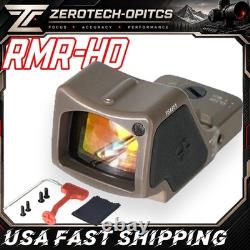

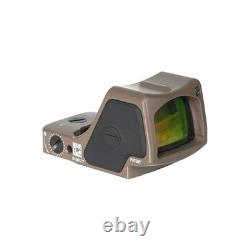
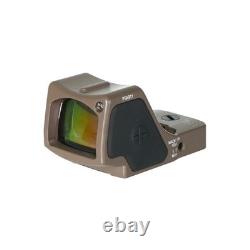
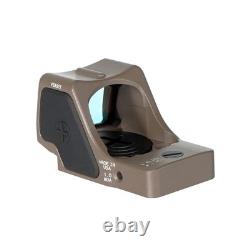
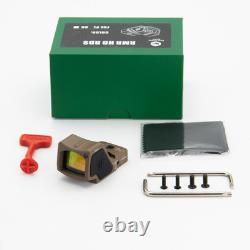
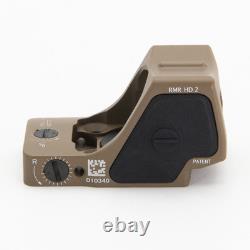
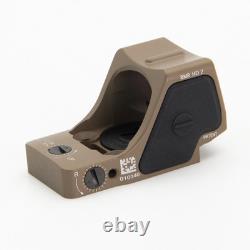


Reticle Type: 55 MOA segmented cirle w/ 3 MOA Red Dot. Upgraded Windage And Elevation Adjusters. Large, Unobstructed Field Of View. Complete User Control Illumination Settings.
RM HD Red Dot Sight Instructions. Button once to turn on the sight. Buttons simultaneously for 6 seconds to turn off. Press and hold either the.
Button to lock the brightness setting. To unlock, press and hold both.
Upon unlocking, the central red dot will flash once to indicate successful unlocking. Buttons for 1 second and release to enable automatic brightness adjustment. Buttons until the central red dot flashes. Button to cycle through reticle options. Button to confirm your selection.